Your digital marketing strategy should include some PPC advertising. If you’ve hired a PPC company to handle your Google Ads campaigns, it’s important that they offer the ability to monitor progress on a regular basis – monthly reports will give you an excellent idea of advertising progress. If you’re currently looking for a PPC company, make sure that they offer expertise in digital marketing for mobile; it will be integral to your success moving forward.
Whether you’re taking care of your Google Ads campaigns in house or are hiring a digital marketing agency, it’s important to keep up to date on the best practices for successful conversion. The following list can help you create and monitor your latest campaigns for better results.
What is Google Ads?
Formerly known as Google Adwords, Google Ads is an online advertising platform that allows businesses to display ads on Google’s search engine results pages (SERPs), YouTube, and other partner websites within the Google Display Network. Advertisers create paid campaigns targeting specific audiences based on keywords, demographics, location, or user behavior and only pay when users interact with their ads (e.g., through clicks or impressions).
The platform offers various ad formats, including search ads, display ads, shopping ads, video ads, and app promotion ads, making it versatile for diverse marketing goals.
5 Tips for Google Ads Campaign Success
1. Care With Keywords
The biggest obstacles some marketers face is in trying to make the keyword fit the advertisement when it doesn’t. It’s more important to make sure the advertisement is accurate – if your customer clicks on a link that promises one thing and gets to a landing page about something totally different, conversion will be minimal and you’re likely to alienate a good portion of your audience.
2. Pay Attention to Targeting
Targeting your ads gives you a better benefit. If you know your audience (and you should), you can target ads based on geographic location, types of web behavior, and a number of other factors. You can also use keyword targeting to get an exact or a broad match on your search terms.
3. Test Frequently
It’s a good practice to also test and assess your results the next day and then again further on in the week. This allows you a better idea of how well your campaign is catching in different areas, whether conversion is higher from specific platforms, or if there are problems with the ad itself.
4. Remarketing Your Campaign
Your PPC agency should offer a remarketing campaign feature. This allows you to retarget visitors who have already seen the campaign with follow up advertisements, often for a lower price and with excellent conversion rates.
5. Monitor Your Campaign
Testing is important but it’s equally essential to monitor the results of your campaign. Unlike the outdated marketing campaigns of the past, digital marketing allows you to change your message as new information becomes available. You don’t need to keep running any advertisement that isn’t working. Use the analytics to monitor how the ad is being received and where to invest more time (and less).
Use Message Extensions in Google Ads
Very similar to click-to-call extensions, message extensions allow a user to simply click the message button within your ad to be taken directly to their default text messaging app. There, they will see a pre-populated message, which they can edit or simply push send to initiate the conversation. You control what the pre-written message says, what hours you allow the messages to be sent, and who in your company they are sent to. The CPC fee is the same for message extensions as it is if the user clicked on the headline or a call extension.
If you are looking to add extensions to your Google Ads, you will need to go to the ad extensions tab and create a new message extension. From there, you are prompted to input the following information:
- Business Name – Pretty self-explanatory, but keep in mind, people will see this name. If there are multiple DBAs, choose the one that is the most recognizable.
- Text Phone Number – The number you want the texts to be sent to. You can choose any phone that allows SMS texts, and some companies choose to open a new number just for this purpose (which can also be beneficial for tracking the conversions).
- Extension Text – This is the text that shows up in the Google ad. You want it to be a quick call to action, like “Message us” or “Text us” so it is clear what you want the user to do.
- Message Text – This is where you will enter the pre-populated text message that will appear once the message extension is clicked. While you want it to be simple, you don’t want it to be too generic. For example, something like, “I am interested in scheduling an appointment at your Boston office,” is a lot more helpful for the person responding to the text than just “Call me.”
While they are just now available to the general public, message extensions have been in beta testing for some time-and users have reported amazing click-through rates with them. In fact, the average mobile CTR is 0.6% for display ads. Clearly, people love the option of being able to text for more information. What’s more, the message extensions can also improve the relevancy and quality score of your Google ad.
As with most Google Ads features, you need to know how to use message extensions properly to get the best results. Here are a few tips to help you make the most out of them:
- If you set up message extensions but aren’t seeing them show up on the SERPs, it might be because your bid is too low. Try adjusting it and see if that helps.
- Message extensions are only beneficial if there is actually someone ready and willing to text back. For this reason, it is important that you schedule the extensions to only be visible when you are available to answer. This option can be found under the advanced settings.
- Remember how we mentioned that the more specific your pre-populated text is, the better? For this reason, we also recommend creating separate message extensions for each target audience. After all, you don’t want someone in New York sending the text about scheduling with the Boston office.
Google Ad’s Keyword Planner & Troubleshooting Problems
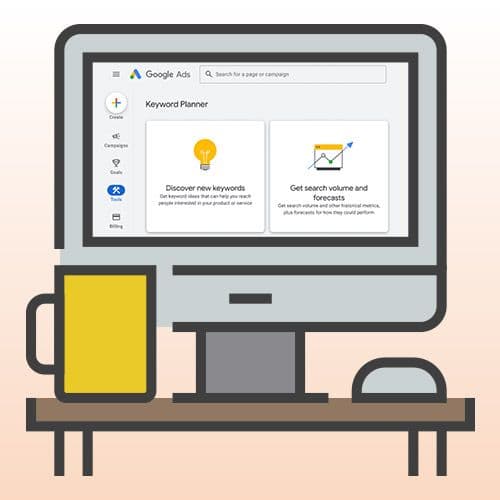
While the Keyword Planner has always been a helpful tool, there have been a few changes recently that could have a big impact on your ability to get keyword data. The first change is that Google Ads is grouping together similar terms, which can be easy to misinterpret when evaluating potential web traffic. The second change is that only big spenders get specific search volumes, while everyone else gets way-too-vast ranges. Here are the specifics on the Keyword Planner changes and how to get the PPC relief you need to get keyword data back.
Problem #1: Google Ad’s Keyword Planner is Grouping Together Similar Terms
While it makes sense that Google Ad’s Keyword Planner would group together similar terms, they don’t make it easy to recognize unless you know what you are looking for. As Search Engine Land reported a few months ago, when there are similar variants of a word, such as cat and cats, Keyword Planner will group the data together. However, on your end, it will still show the stats for each individual term-they will just be the exact same figures. This does not mean each individual one has that amount of search volume; it means they achieve that many searches combined. So do not add them together!
But the problem arises because oftentimes not all similar variants are created equal when it comes to search volume, and it’s important to know the specifics so you can spend your time and effort on the terms that are actually the best. Luckily, it’s pretty simple to get keyword data broken down again. Here are the steps to follow:
- In Google Ad’s Keyword Planner, click on the arrows next to the keywords you want more specific data for. At this point, they will all have the same search volumes, which is really just all of them combined. Click “Review Plan”.
- On this page, there are a few changes to make. First, click on the “Keyword” tab and select the option under match types for “Exact Match”. Make sure the date range will show you the results by month, and enter a maximum bid to make sure you are seeing the estimates for first-page results. Finally, click on the “Get Detailed Forecasts” button and you are ready to see the breakdown of each specific variant.
Problem #2: Low-spend Advertisers Only Get Volume Ranges
The second issue you will find in theAds Keyword Planner is that if you aren’t spending a huge amount on your campaign, or you have been inactive for a while, then you will not see specific search volumes anymore. Instead, you will see ranges. For example, if a certain search term actually gets 14,000 monthly searches, if you are a low-spender, you will only see a range of 10K-100K. Obviously, there’s a huge difference between 14K searches and 99K searches, so this can be a major issue.
If you want to get keyword data back to more specific amounts, you have a few options:
- As the reports state, you can still check out your keyword data through the Google Traffic Forecaster (found inside the Keyword Planner), or you can check out Google Trends. However, the figures are usually higher than they would be in the Keyword Planner, but that’s still more accurate than a huge range.
- Or there’s always the option to just spend more on Google Ads so you can see all the data you need. If you can’t achieve that on your own, you can work with an agency like ours to benefit from the power of our combined Ad spending.
Are You Looking for an PPC Agency to Help With Your Google Ads Campaigns?
Contact Zero Gravity Marketing today to discuss your PPC needs and find out how we can aid you in a more successful Google Ads campaign.

Rocco Smith
Rocco Smith is an SEO Strategist at Zero Gravity Marketing with over three years of experience in Search Engine Optimization. He enjoys combining his love for writing and editing with the latest SEO trends and best practices to help guide clients to the results they want to see while overcoming the competition.